League of Legends · Windows · real-time AI

Your AI assistant, for every
decision.

Buildzcrank is with you before, during and after the match: it tells you who to pick, what to buy and what to improve, reading your game in real time with six AI systems.

  • Recommendations that change with the match, not fixed builds
  • Six AI systems, one for every moment of the game
  • Draggable in-game overlays for shopping and cooldowns

Demo view · assets © Riot Games

How it walks you through the game

One assistant for every moment of the match

Champion select
1
92.0 Ahri
Comp71 Lane+640g Late64
2
88.5 Syndra
Comp68 Lane+410g Late72
3
85.1 Viktor
Comp64 Lane-120g Late81
4
83.7 Akali
Comp60 Lane+250g Late58
KatarinaMid · lvl 11
In game
Time14:05 Gold3.850

AI recommendations (next purchase)

#1ShadowflameReason: Counters enemy build • Core item52%~1100 g
#2Rabadon's DeathcapReason: Boosts your stats28%~3600 g
#3Zhonya's HourglassReason: Counters enemy build11%~2600 g
Post-match coach
Early Mid Late

Strong early lane (CS@10 above average) but you fell behind mid game — group earlier around objectives.

KDA7 / 3 / 9 CS/m8.1 GD@15+640
01

Before

In champion select

It reads the draft live — picks, bans and your role — and ranks the best champions by synergy and counters. Runes import into the client on lock.

02

During

In game, in real time

It tracks your champion, gold, health and inventory and tells you the next item to buy, with enemy summoner cooldowns always within reach.

03

After

Post-match coaching

When the game ends, a language model reviews your stats phase by phase and tells you, in plain words, what to keep doing and what to fix.

6 AI systems

One AI for every decision

Buildzcrank combines several AI systems, each for a different moment in the game. This is what every one of them answers.

Item Predictor

What do I buy?

Next purchase based on the match in progress.

AI recommendations (next purchase)

#1ShadowflameReason: Counters enemy build • Core item52%~1100 g
#2Rabadon's DeathcapReason: Boosts your stats28%~3600 g
#3Zhonya's HourglassReason: Counters enemy build11%~2600 g

Draft Recommender

Who do I pick?

Champions ranked by synergy and counters in the live draft.

1
92.0 Ahri
Comp71 Lane+640g Late64
2
88.5 Syndra
Comp68 Lane+410g Late72
3
85.1 Viktor
Comp64 Lane-120g Late81
4
83.7 Akali
Comp60 Lane+250g Late58
5
81.2 Yone
Comp57 Lane+180g Late66

Champion Fit

Which champion fits you?

Detects your playstyle and the champions that match your pool.

Recommends

Phase Advisor

Who wins the lane?

Win odds and advice for early, mid and late vs your opponent.

Win % by phase

@15 · 61% @25 · 48% @40 · 57%

Post-match Coach

What did I do wrong?

Plain-language review of what went well and what to fix.

EarlyMidLate

Skill Hint

Which ability do I level?

Tells you which ability to level from the champion guide.

QLevel up Q in the client

In-game overlays

On top of the game, never in the way

Two draggable windows that float over League. Pin them always-on, or show them only while you hold TAB.

  • Draggable

    Place each overlay wherever it suits your screen.

  • Hold TAB to show

    Keep your HUD clean and reveal them only when you check the scoreboard.

  • Always on top

    Works in Windowed or Borderless — no fullscreen exclusive.

Beyond the match

Useful even when you are not playing

Browse the meta, plan drafts and study champions from the Explore tab — no game required.

Champion tier list

  • S Ahri 53.1% WR
  • S Katarina 52.4% WR
  • A Akali 51.0% WR
  • A Zed 50.3% WR

Draft Lab

Allies
?
Enemies
? ?
AI recommend

Champion of the day

Ahri 53.1% WR ▲ 1.4

Champion guide · Katarina

Priority
QEW
Skill order
Runes
Power curve

Open it and play

Install it, open League and let Buildzcrank ride along whenever it's time to decide.

Download the installer

Hit Download and save the installer to your PC.

Install and open Buildzcrank

Run the installer, open the app and leave it ready before you queue up.

Set League up for the overlay

In League use windowed or borderless window to see the overlays on top of the game.

Requirements

  • Windows
  • League of Legends
  • Overlays: in the League client, windowed or borderless window mode (not exclusive fullscreen)

Who's behind it

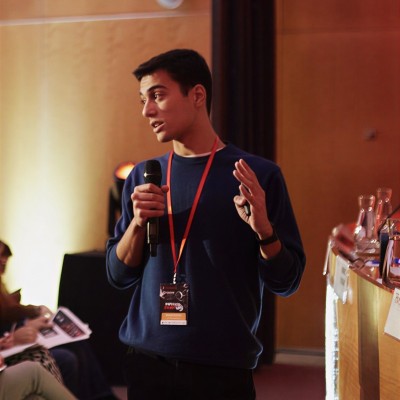
The two of us build Buildzcrank, with the goal of making a genuinely useful tool for League players. Here's who's behind it.

Frequently asked questions

What matters before installing: AIs, account, overlays and the relationship with Riot.

Which AIs does Buildzcrank include?

Six AI systems: a real-time item predictor, a draft recommender, a phase advisor, a post-match coach, champion fit and a skill hint. Each one helps you at a different moment of the game.

Do I need an account to use it?

Features that read the live match — item predictor, draft recommender, skill hint and overlays — work as soon as you open the app. Those that analyze your history, like the post-match coach and champion fit, require a linked account.

Do I have to link my Riot account?

Only for the features that analyze your past matches (post-match coach and champion fit). Everything else reads the live match from the League local API.

Where does the AI run?

Some models ship with the app and run on your PC; the heavier ones, like the natural-language coach and the playstyle analysis, run on Buildzcrank servers.

How do the in-game overlays work?

They are draggable windows that float over League. The shopping overlay shows the AI's next recommended buy; the cooldown overlay tracks enemy summoner spells. Keep them always on, or show them only while holding TAB.

Is there a Mac or Linux version?

Windows only for now.

The overlay doesn't appear?

Enable windowed or borderless mode in your League of Legends game; exclusive fullscreen usually covers other windows.

Do AI suggestions guarantee a win?

No. They help you decide faster and better; you play the game.

Does it modify or inject code into League?

No. It's a separate application that reads local info and displays windows on top of your desktop. If third-party software policies concern you, review the Riot policies that apply to your account.

Is this an official Riot product?

No. Buildzcrank is independent.

Does it work without Overwolf?

Yes. Buildzcrank does not use Overwolf. It is a standalone Windows desktop app that reads the League of Legends local API directly.

Try it in your next match

Windows installer. Take all six AI assistants to the Rift.

Download installer

Requirements